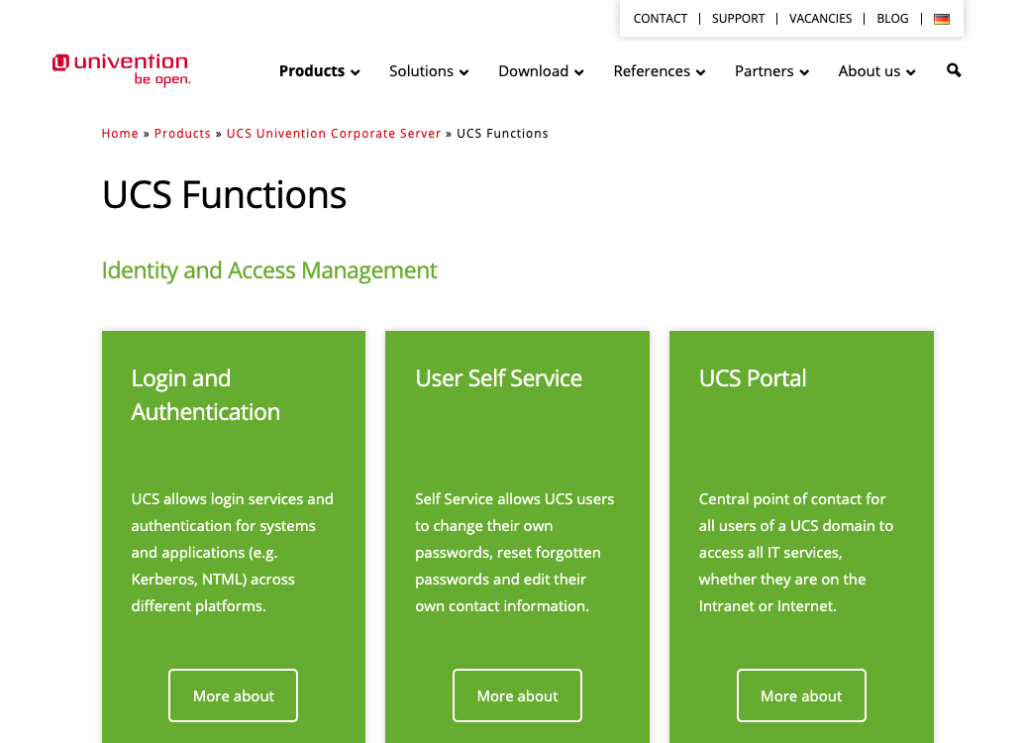
UCS (Univention Corporate Server) 是開源界中最好用的網域及目錄服務伺服器之一,不僅可以當做 LDAP 目錄服務伺服器,甚至可以做為取代 AD 的網域控制站角色,應用能力非常強大,而且 Web 管理介面功能完整。
UCS 在管理上也提供了許多實用指令方便管理者以 script 進行自動化操作,本文整理我這幾年較常使用的指令,提供分享。
前置作業
請準備好 UCS 的 CLI 或 Console 連線,進入後以 root 帳戶進行操作。(UCS 的 Web 管理介面則是使用 Administrator 做為管理者帳戶名稱)
指令列表
以下將分類整理不同對象的指令,其中的 user 請替換為您的帳戶,dc=domain,dc=local 請替換為您的 DN 名稱。
開放防火牆連接埠
# 防火牆開放 SNMPD 服務連接埠
ucr set security/packetfilter/udp/161/all=ACCEPT


# 防火牆開放 Check_MK Agent 服務連接埠
ucr set security/packetfilter/tcp/6556/all=ACCEPT


# 防火牆開放 SSH 服務連接埠
ucr set security/packetfilter/tcp/22/all=ACCEPT


# 防火牆開放 PostgreSQL 服務連接埠
ucr set security/packetfilter/tcp/5432/all=ACCEPT


# 防火牆開放 MySQL/MariaDB 服務連接埠,並可從 192.168.1.100 連接
ucr set security/packetfilter/tcp/3306/192.168.1.100=ACCEPT


# 防火牆封鎖 80 連接埠,僅允許 192.168.1.0 網段可連接
ucr set security/packetfilter/tcp/80/all=DROP
nano /etc/security/packetfilter.d/10_univention-firewall_start.sh
iptables --wait -A INPUT -s 192.168.1.0/24 -p tcp --dport 80 -j ACCEPT  # 需要在同樣連接埠 DROP 規則的前面

# 檢視防火牆規則為 ACCEPT 或 DROP
ucr get security/packetfilter/tcp/80/192.168.1.145


# 防火牆移除已設定的規則
ucr unset security/packetfilter/tcp/80/192.168.1.145


# 防火牆設定調整完成後,要重啟防火牆服務
service univention-firewall restart


# 檢視目前的防火牆規則
iptables -L
更換自有 SSL 憑證
# 修改 SSL 憑證檔案位置
ucr set apache2/ssl/certificate="/etc/myssl/cert.pem" apache2/ssl/key="/etc/myssl/private.key"


# 修改 SSL 憑證串鏈檔案位置
ucr set apache2/ssl/certificatechain="/etc/myssl/chain.pem"


# 重新啟動 Apache2 服務以生效
service apache2 restart
啟用 LDAP 異動記錄
# 查看 LDAP 記錄層級
ucr get ldap/debug/level


# 修改 LDAP 記錄層級
ucr set ldap/debug/level=256


# 重新啟用 LDAP 服務
systemctl restart slapd


# 查看 LDAP Bind 繫結記錄
grep 'err=49' -B1 /var/log/syslog
設定將 Syslog 傳輸至 Log 伺服器
# 設定 Log 伺服器位置
ucr set syslog/remote=@192.168.100.100:514


# 重新啟用 Rsyslog 及防火牆服務
/etc/init.d/rsyslog restart
/etc/init.d/univention-firewall restart
停用 Mail Domain 要求
# 關閉 mailPrimaryAddress 的檢查
ucr set directory/manager/web/modules/users/user/properties/mailPrimaryAddress/syntax=string


# 重新啟用 LDAP 服務
service univention-management-console-server restart
service univention-management-console-web-server restart
使用者帳號處理
# 列出所有使用者以及屬性
udm users/user list


# 篩選使用者並顯示其屬性
udm users/user list --filter 'uid=jason'
udm users/user list --filter '(&(shadowExpire>=17897)(shadowExpire<=18262))'


# 修改使用者 home 資料夾路徑
udm users/user modify --dn "uid=jason,ou=CompanyStaff,dc=domain,dc=local" --set unixhome='/home/newdirectory'


# 修改使用者主要群組
udm users/user modify --dn "uid=jason2,ou=CompanyStaff,dc=domain,dc=local" --set primaryGroup='cn=testgroup,cn=groups,dc=domain,dc=local'


# 由 uid 取出完整 dn
udm users/user list --filter 'uid=jason2' | grep "DN:" | cut -d ":" -f 2 | sed 's/^[ \t]*//g'
群組處理
# 列出所有群組以及屬性
udm groups/group list


# 篩選群組並顯示其屬性
udm groups/group list --filter 'gidNumber=5001'


# 由 gidNumber 取出 DN
udm groups/group list --filter "(gidNumber=21)" | grep "DN:" | cut -d ":" -f 2 | sed 's/^[ \t]*//g'


# 建立群組並指定屬性
udm groups/group create --position "cn=groups,dc=domain,dc=local" --set name="testgroup" --set gidNumber="19999"
建立 DNS 記錄
# 建立正解 A 記錄
udm dns/host_record create \
    --superordinate "zoneName=example.com,cn=dns,dc=domain,dc=local" \
    --set name="web1" \
    --set a="192.168.0.230"


# 建立反解 PTR 記錄
udm dns/ptr_record create \
    --superordinate "zoneName=0.168.192.in-addr.arpa,cn=dns,"\
"dc=domain,dc=local" \
    --set address="230" \
    --set ptr_record="web1.example.com."
變更伺服器 IP
# 檢視目前 IP
ucr get interface/eth0/address


# 設定變更後的新 IP
ucr set interfaces/eth0/address='newip'


# 設定變更後的新 Gateway
ucr set gateway='newgateway'
檢查 JOIN 狀態
# 檢查 JOIN 狀態
univention-check-join-status


# 處理 JOIN 程序,並強制每一項再次進行
univention-run-join-scripts --force
參考資料
- 節省工具箱 Jason Tools: [套件分享] 企業遠距作業解決方案架構圖
http://blog.jason.tools/2021/05/wfh-opensource-map.html - 節省工具箱 Jason Tools: [演講簡報] 以開源軟體打造新創公司基礎資訊建設
http://blog.jason.tools/2020/08/coscup2020-opensource-startup-company.html - UCS Univention Corporate Server: easy-to-use IT operations
https://www.univention.com/products/ucs/ - Univention Help
https://help.univention.com/ - How-To: Enable Logging in LDAP - Knowledge Base / Community - Univention Help
https://help.univention.com/t/how-to-enable-logging-in-ldap/10515 - Open Port-Range in UCS Firewall - UCS - Univention Corporate Server - Univention Help
https://help.univention.com/t/open-port-range-in-ucs-firewall/11734 - UCS Admin Diary: quick overview of all administrative events in a domain
https://www.univention.com/blog-en/2019/05/journaling-for-sysadmins-admin-diary/ - Using your own SSL certificates - Knowledge Base / Supported - Univention Help
https://help.univention.com/t/using-your-own-ssl-certificates/38 - UCS LDAP activity log: monitor and save vital information
https://www.univention.com/blog-en/2020/09/ucs-ldap-acitvity-log-monitoring-and-saving-information/ - Setup central syslog server - Knowledge Base / Supported - Univention Help
https://help.univention.com/t/setup-central-syslog-server/6586